[vc_row][vc_column][vc_single_image image=”458″ img_size=”medium”][/vc_column][/vc_row][vc_row][vc_column][vc_column_text]
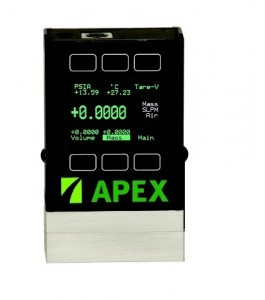
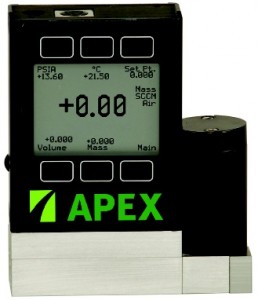
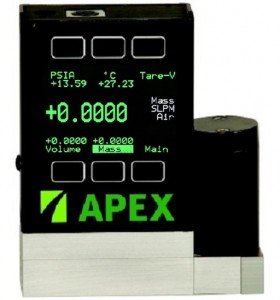
Apex Builds Mass Flow Controller or Mass Flow Meter System including:
- Configure a mass flow meter or mass flow controller for your application
- Learn about options to power your device
- Pick the communications options that meet your needs
- Discover Options for your controller/meter
[/vc_column_text][/vc_column][/vc_row][vc_row][vc_column][vc_separator color=”black” style=”dashed”][/vc_column][/vc_row][vc_row][vc_column width=”1/4″][vc_single_image image=”842″ img_size=”medium”][/vc_column][vc_column width=”1/4″][vc_button title=”Apex Mass Flow Controller Pricing Options” target=”_blank” color=”btn-success” href=”http://shop.schoonoverinc.com/Apex-Mass-Flow-Controllers-05-sccm-2000-slpm-AX-MC-FR.htm”][/vc_column][vc_column width=”1/4″][vc_single_image image=”1099″ img_size=”medium”][/vc_column][vc_column width=”1/4″][vc_button title=”Apex Mass Flow Meter Pricing Options” target=”_blank” color=”btn-success” href=”http://shop.schoonoverinc.com/Apex-Mass-Flow-Meter-Flow-Rates-05-sccm-2000-slpm-AX-M-FR.htm”][/vc_column][/vc_row][vc_row][vc_column][vc_separator color=”black” style=”dashed”][/vc_column][/vc_row][vc_row css=”.vc_custom_1406655772008{background-color: #d1b204 !important;border: 2px solid #050505 !important;}”][vc_column width=”1/2″][vc_column_text]
Build It…… Configure It
The TechConstructor Tool is an intuitive program to allow you to step by step design your Apex Build System from beginning to the accessories needed for your application. Once complete, we can email you or enter our online chat feature to get feedback right away![/vc_column_text][/vc_column][vc_column width=”1/2″][vc_single_image image=”2434″ img_size=”large” img_link=”https://schoonoverinc.com/vacuum-maintenance/apex-mass-flow-controller/apex-build/apex-build-form”][vc_button title=”Start TechConstructor To Design Your Apex Mass Flow Controller or Meter System” target=”_blank” color=”btn-inverse” href=”https://schoonoverinc.com/vacuum-maintenance/apex-mass-flow-controller/apex-build/apex-build-form”][/vc_column][/vc_row][vc_row][vc_column][vc_separator color=”black” style=”dashed”][/vc_column][/vc_row][vc_row][vc_column width=”1/3″ css=”.vc_custom_1450799378774{background-color: #ffffff !important;}”][vc_column_text css=”.vc_custom_1450800740951{border-top-width: 2px !important;border-right-width: 2px !important;border-bottom-width: 2px !important;border-left-width: 2px !important;padding-top: 1px !important;padding-right: 1px !important;padding-bottom: 1px !important;padding-left: 1px !important;background-color: #c1c1c1 !important;border-left-color: #000000 !important;border-left-style: solid !important;border-right-color: #000000 !important;border-right-style: solid !important;border-top-color: #000000 !important;border-top-style: solid !important;border-bottom-color: #000000 !important;border-bottom-style: solid !important;}”]
Power
Apex systems are powered by 7-30VDC Power Supply or our PVPS24U wall mount that use universal adaptor for worldwide use. Expensive display or power supple boxes are not needed.[/vc_column_text][/vc_column][vc_column width=”1/3″ css=”.vc_custom_1450799286773{background-color: #f2f2f2 !important;}”][vc_column_text css=”.vc_custom_1450800844154{border-top-width: 2px !important;border-right-width: 2px !important;border-bottom-width: 2px !important;border-left-width: 2px !important;padding-top: 1px !important;padding-right: 1px !important;padding-bottom: 1px !important;padding-left: 1px !important;background-color: #c1c1c1 !important;border-left-color: #000000 !important;border-left-style: solid !important;border-right-color: #000000 !important;border-right-style: solid !important;border-top-color: #000000 !important;border-top-style: solid !important;border-bottom-color: #000000 !important;border-bottom-style: solid !important;}”]
Communications
There are 5 options to communicate with your Apex: 0-5V Analog Signal, 0-10V Analog Signal, 4-20 MilliAmp Signal, RS-232 (Standard on all Apex devices), and Device Keypad (Standard)[/vc_column_text][/vc_column][vc_column width=”1/3″ css=”.vc_custom_1450799294874{background-color: #f2f2f2 !important;}”][vc_column_text css=”.vc_custom_1450800904056{border-top-width: 2px !important;border-right-width: 2px !important;border-bottom-width: 2px !important;border-left-width: 2px !important;padding-top: 1px !important;padding-right: 1px !important;padding-bottom: 1px !important;padding-left: 1px !important;background-color: #c1c1c1 !important;border-left-color: #000000 !important;border-left-style: solid !important;border-right-color: #000000 !important;border-right-style: solid !important;border-top-color: #000000 !important;border-top-style: solid !important;border-bottom-color: #000000 !important;border-bottom-style: solid !important;}”]
Multiple Apex Units
Multiple Apex Devices can be linked together with the BB9 Communications Box. This box uses addressable RS-232 to communicate with all Apex units connected. The BB9 connects directly to a computer via USB port.[/vc_column_text][/vc_column][/vc_row][vc_row][vc_column width=”1/3″][vc_column_text css=”.vc_custom_1450800985283{border-top-width: 2px !important;border-right-width: 2px !important;border-bottom-width: 2px !important;border-left-width: 2px !important;padding-top: 1px !important;padding-right: 1px !important;padding-bottom: 1px !important;padding-left: 1px !important;background-color: #c1c1c1 !important;border-left-color: #000000 !important;border-left-style: solid !important;border-right-color: #000000 !important;border-right-style: solid !important;border-top-color: #000000 !important;border-top-style: solid !important;border-bottom-color: #000000 !important;border-bottom-style: solid !important;}”]
Options Available
TFT Screen Removable Display / Industrial Connectors/ 15 Pin, D-Sub Connectors / Weldable VCR Gas Inlet[/vc_column_text][/vc_column][vc_column width=”1/3″][vc_single_image image=”839″ img_size=”medium”][/vc_column][vc_column width=”1/3″][vc_column_text css=”.vc_custom_1450801023755{border-top-width: 2px !important;border-right-width: 2px !important;border-bottom-width: 2px !important;border-left-width: 2px !important;padding-top: 1px !important;padding-right: 1px !important;padding-bottom: 1px !important;padding-left: 1px !important;background-color: #c1c1c1 !important;border-left-color: #000000 !important;border-left-style: solid !important;border-right-color: #000000 !important;border-right-style: solid !important;border-top-color: #000000 !important;border-top-style: solid !important;border-bottom-color: #000000 !important;border-bottom-style: solid !important;}”]
Options Available
Totalizer / Flow total Gas Blends / Up to 4 Low & High Alarms Secondary Output / High Accuracy Calibration[/vc_column_text][/vc_column][/vc_row][vc_row][vc_column width=”1/3″][vc_column_text css=”.vc_custom_1450801124782{border-top-width: 2px !important;border-right-width: 2px !important;border-bottom-width: 2px !important;border-left-width: 2px !important;padding-top: 1px !important;padding-right: 1px !important;padding-bottom: 1px !important;padding-left: 1px !important;background-color: #c1c1c1 !important;border-left-color: #000000 !important;border-left-style: solid !important;border-right-color: #000000 !important;border-right-style: solid !important;border-top-color: #000000 !important;border-top-style: solid !important;border-bottom-color: #000000 !important;border-bottom-style: solid !important;}”]
Cables
Single ended 8 pin DIN to blank wires 6 ft (DC-61) and 25 ft. (DC-251). For connection with our BB9, double ended DC-62 andDC-252. An MD8DB9 -USB connects the BB9 to a computer.[/vc_column_text][/vc_column][vc_column width=”1/3″][vc_button title=”Apex Product Catalog- Mass Flow Controllers, Mass Flow Meters, and Pressure Controllers” target=”_blank” color=”btn-success” size=”btn-large” href=”https://schoonoverinc.com/wp-content/uploads/2014/05/Apex-Product-Catalog.pdf”][/vc_column][vc_column width=”1/3″][vc_column_text css=”.vc_custom_1450801162202{border-top-width: 2px !important;border-right-width: 2px !important;border-bottom-width: 2px !important;border-left-width: 2px !important;padding-top: 1px !important;padding-right: 1px !important;padding-bottom: 1px !important;padding-left: 1px !important;background-color: #c1c1c1 !important;border-left-color: #000000 !important;border-left-style: solid !important;border-right-color: #000000 !important;border-right-style: solid !important;border-top-color: #000000 !important;border-top-style: solid !important;border-bottom-color: #000000 !important;border-bottom-style: solid !important;}”]
Software
FlowVisionSC software allows set point control, select gases, and collects and graphs data. LabView Drivers are available for download. Gas mixing software is also available.[/vc_column_text][/vc_column][/vc_row]